
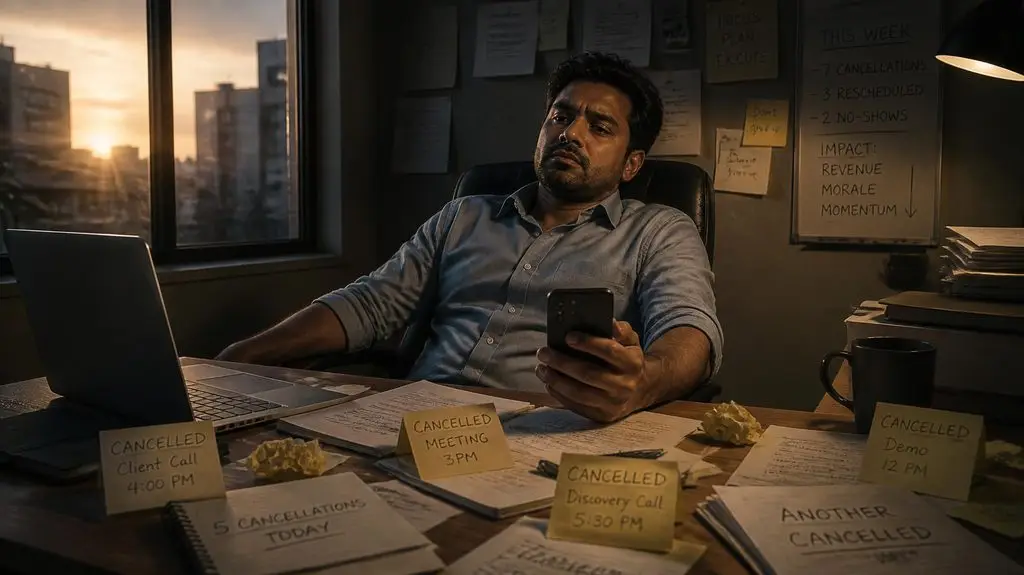
Why do customers keep canceling appointments at the last minute, and what can I do about it?
Customers often cancel appointments at the last minute because they forget, something unexpected comes up, they aren’t fully committed, or rescheduling feels inconvenient. The good news is that you can reduce many of these cancellations with automated reminders, clear scheduling policies, convenient rescheduling options, and better communication.
If you run a salon, consulting business, home service company, fitness studio, or any business that relies on appointments, you know how frustrating an empty time slot can be.
You reserved that time. You may have turned away another customer. Your team was ready. Then, an hour before the appointment, you get the dreaded message: “Sorry, something came up. Can we reschedule?”
Occasional cancellations are unavoidable. But when they happen regularly, they can seriously affect your revenue.
The solution isn’t necessarily stricter cancellation policies. Often, it’s creating a better appointment management process that makes it easier for customers to show up and easier for your business to recover when they don’t.
Why do customers cancel appointments at the last minute?
Most last-minute cancellations happen because of forgetfulness, scheduling conflicts, changing priorities, or uncertainty about the appointment itself.
Sometimes customers simply lose track of time. Other times, they booked several days or weeks ago and no longer remember why the appointment mattered.
Common reasons include:
- They forgot. The appointment wasn’t added to their personal calendar.
- Something unexpected happened. Work, family responsibilities, or emergencies interfered.
- They weren’t fully committed. They booked while exploring options but never made a firm decision.
- They didn’t receive a reminder. Your business relied entirely on the original booking confirmation.
- Rescheduling was difficult. Rather than calling during business hours, they waited until the last minute to cancel.
- They weren’t sure what to expect. Uncertainty about pricing, preparation, or the appointment process made them hesitant.
Research published in the Cochrane Database of Systematic Reviews found that mobile phone messaging reminders can improve attendance at healthcare appointments compared with no reminders.
Although that research focuses on healthcare, it illustrates an important principle for appointment-based businesses: timely communication can help customers follow through on scheduled commitments.
How can I stop customers from forgetting their appointments?
The easiest way to reduce forgotten appointments is to send automated confirmations and reminders through email and text messaging.
Instead of expecting customers to remember an appointment they booked two weeks ago, create a reminder sequence that keeps it on their radar.
A practical reminder schedule might look like this:
- Immediately after booking: Send confirmation with the date, time, location, and any preparation instructions.
- 48 hours before: Send a friendly reminder with an option to confirm or reschedule.
- 24 hours before: Send a short text asking the customer to confirm attendance.
- 2 hours before: Send a final reminder when appropriate for the appointment type.
For example:
“Hi Sarah! Just a reminder that your appointment with ABC Services is tomorrow at 2 PM. Reply YES to confirm or use this link if you need to reschedule.”
This approach does more than remind customers. It gives them an opportunity to tell you early if their plans have changed.
With Surge by Thrive’s Email and SMS Marketing tools, businesses can automate appointment communications instead of manually sending messages throughout the day.
Should I let customers reschedule their own appointments?
Yes. Making rescheduling simple can help customers notify you earlier rather than waiting until the last minute or failing to show up entirely.
Think about what happens when a customer realizes they can’t make an appointment.
If they have to call your office, wait on hold, or leave a voicemail, they may postpone dealing with the problem.
But if they can open a text message, click a link, and choose another available time, the process becomes much easier.
Online scheduling also reduces administrative work for your employees.
With Surge’s Appointment Scheduling system, customers can book appointments online, and businesses can manage availability through connected calendars.
You can also use scheduling workflows to send reminders and follow-up messages automatically.
One important detail: make sure customers understand your rescheduling deadline. Giving them flexibility doesn’t mean allowing unlimited changes without notice.
Will charging cancellation fees stop people from canceling?
Cancellation fees may discourage some late cancellations, but they work best when paired with clear communication and reasonable policies.
A fee won’t prevent someone from getting sick or dealing with an emergency. And if your policy feels unnecessarily harsh, you could damage a valuable customer relationship.
Consider policies such as:
- Requiring 24-hour notice for routine appointments.
- Requesting deposits for high-value or lengthy services.
- Charging a reasonable fee for repeated late cancellations.
- Allowing exceptions for legitimate emergencies.
- Explaining cancellation terms before customers finalize their bookings.
For businesses accepting advance payments, it’s especially important to disclose cancellation and refund terms clearly.
The Federal Trade Commission’s guidance on advertising and marketing emphasizes truthful, nonmisleading representations to consumers.
Make sure your policies are clearly communicated and comply with applicable laws.
How can I fill appointment slots when someone cancels?
The best approach is to maintain a list of customers who want earlier appointments and contact them when availability opens up.
Imagine you’re a personal trainer with a fully booked afternoon.
One customer cancels a 3 PM session, leaving an unexpected opening.
Instead of losing that hour completely, you could automatically notify customers who previously expressed interest in an earlier appointment.
A message might say:
“Good news! We just had a 3 PM appointment open up today. Interested? Book here before it’s gone.”
This can be particularly useful for:
- Hair salons and spas
- Fitness trainers
- Medical and wellness practices
- Consultants
- Automotive service providers
- Home service businesses
Using Surge’s Workflow Automation tools, businesses can create follow-up processes that respond to appointment changes and help notify interested customers.
Availability-based notifications should be configured carefully so customers aren’t offered appointments that have already been booked.
Can automated follow-up help recover canceled appointments?
Absolutely. A canceled appointment doesn’t necessarily mean you’ve lost the customer.
Someone who cancels today may still need your services next week.
The problem is that many businesses never follow up after a cancellation.
They simply remove the appointment from the calendar and move on.
Instead, consider an automated recovery sequence.
Immediately after cancellation: Send a friendly acknowledgment and a link to reschedule.
Two days later: If the customer hasn’t rebooked, send a brief follow-up.
One week later: For appropriate services, send one final message reminding them that you’re available when they’re ready.
For example:
“Hi Mike, we noticed you haven’t rescheduled your appointment yet. We’d still love to help. Here’s our calendar if you’d like to find another time.”
Keep messages relevant and respectful. Honor opt-outs and obtain appropriate consent before sending marketing texts or emails.
The FCC’s consumer guidance on unwanted calls and texts explains important protections related to automated communications.
Surge’s CRM and Lead Capture tools can help businesses keep customer information organized and track follow-up activity.
How do I know whether my cancellation problem is getting better?
Start by tracking your appointment cancellation rate, no-show rate, and rescheduling rate.
Without measuring these numbers, it’s difficult to know whether your reminders and scheduling improvements are working.
Here’s a simple example.
Suppose your business schedules 200 appointments in one month.
Of those appointments:
- 20 are canceled within 24 hours.
- 10 customers never show up.
- 8 of the canceled appointments are successfully rebooked.
Your last-minute cancellation rate is 10%, while your no-show rate is 5%.
If you reduce last-minute cancellations from 20 to 10 per month, you’ve recovered 10 appointment opportunities.
At an average appointment value of $150, those opportunities represent up to $1,500 in potential monthly revenue, assuming the recovered slots result in completed, paid appointments.
Track these numbers monthly and compare results after introducing automated reminders or new scheduling policies.
What’s the easiest way to reduce appointment cancellations without adding more work?
The easiest solution is to connect your appointment calendar, customer information, reminders, and follow-up messages into one automated system.
When these tools operate separately, employees spend unnecessary time checking calendars, sending texts, updating customer records, and chasing confirmations.
With Surge by Thrive, you can bring appointment scheduling, CRM management, email and SMS communication, and workflow automation together.
That means your business can:
- Confirm appointments automatically.
- Remind customers before scheduled visits.
- Make booking and rescheduling more convenient.
- Follow up after cancellations.
- Keep customer conversations organized.
- Reduce repetitive administrative tasks.
You won’t eliminate every cancellation. Life happens, and customers will occasionally need to change their plans.
But you can create a system that catches problems earlier, protects more appointment opportunities, and makes your business easier to work with.
Ready to spend less time chasing appointments and more time serving customers?
Request a live demo of Surge by Thrive and see how automated scheduling, reminders, and follow-up can help your business reduce appointment headaches and protect revenue.