
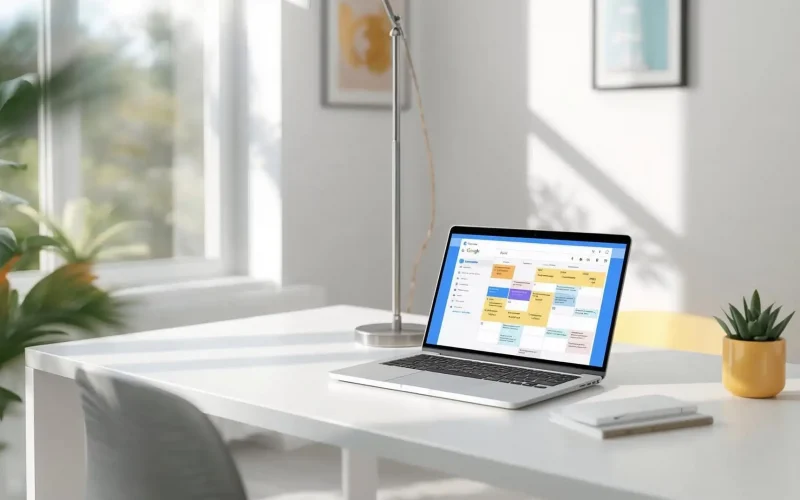
How do I sync customer bookings with my Google Calendar automatically?
If you’re still copying and pasting appointments into your Google Calendar, you’re wasting precious time and leaving room for mistakes. Keeping your customer bookings synced with your calendar not only saves hours each week but also cuts out double-bookings, forgotten appointments, and last-minute scrambles. The good news is that automating this process is easier than most business owners think.
Why should I connect my bookings to Google Calendar?
Managing bookings manually is a hassle. When customers schedule through your website or forms, you want that appointment to instantly appear on your Google Calendar. This helps you:
- Stay organized and avoid scheduling conflicts
- Receive real-time notifications on your phone or desktop
- Share accurate availability with team members or clients
- Reduce no-shows by setting up automated reminders
An automated sync can mean the difference between missing an important client meeting and always being prepared.
Supporting source: According to Google, over 500 million people use Google Calendar for both personal and business scheduling, making it the top choice for keeping life in sync [source].
What’s the easiest way to set up automatic booking sync?
The fastest, most reliable way is to use an all-in-one business platform that connects your booking forms or appointment tools directly to Google Calendar. Instead of cobbling together multiple plugins or using complicated manual workflows, you can use a solution that automates everything in the background.
Here’s how Surge by Thrive does it:
- Customers book appointments on your website using a custom appointment scheduling form
- Surge instantly creates the event on your connected Google Calendar
- You and your client both get confirmation emails or texts
- Surge can also trigger follow-ups, reminders, or even send out a survey after the appointment
This seamless integration means you never have to worry about copying bookings or updating your schedule again. Learn more about setting up custom forms with Surge by Thrive here.
How does the Google Calendar sync actually work?
When you connect Surge by Thrive to your Google account, you authorize the platform to create, update, and manage events in your calendar. Every new booking from your website or social media triggers Surge’s automation engine, which instantly adds the appointment to your calendar—often in less than a second.
Key features include:
- Two-way sync, so any changes in Google Calendar update Surge and vice versa
- Automatic reminders via SMS or email to reduce no-shows
- Support for recurring appointments, team calendars, and room or resource booking
Supporting source: Google’s official documentation covers calendar API integrations, which power many business automation tools [source].
What about syncing group bookings, team schedules, or recurring appointments?
If you manage a team or run classes, workshops, or group events, syncing gets a little trickier—but Surge by Thrive has it handled. The platform lets you:
- Assign appointments to specific team members or resources
- Sync group bookings across multiple Google Calendars
- Handle recurring or repeating appointments with a single click
- Integrate with automated workflows so every booking can trigger customized reminders, follow-ups, or feedback requests
This keeps everyone on your team in the loop and your calendar up-to-date, even if you’re managing dozens of bookings per day.
Can I automate reminders or confirmations through Google Calendar?
Google Calendar itself lets you set notifications, but most small businesses want more—like branded confirmations, reminder texts, or post-appointment follow-ups. That’s where a tool like Surge by Thrive makes the difference.
- SMS and email reminders: Surge sends these automatically before the appointment
- AI chatbots: Answer scheduling questions or help customers reschedule, right on your site. Learn more about AI Bots
- Post-appointment surveys or review requests: Automate these to build your reputation. See Reputation Management
How do I set this up if I don’t have tech skills?
You don’t need to be a developer. With Surge by Thrive, you can connect your Google Calendar in a few clicks during setup, then let the platform do the heavy lifting. Plus, you get step-by-step support and onboarding, or you can request a free live demo to see how it works before you commit.
Are there other tools that can sync with Google Calendar?
There are plenty of tools that promise calendar sync, from Zapier to standalone scheduling apps, but most require extra setup, subscriptions, or don’t handle the full workflow. With Surge by Thrive, everything—from booking to reminders to automated marketing follow-ups—is built in. You can even manage leads, track marketing campaigns, and connect email and SMS marketing from the same dashboard.
How does this help me get more bookings?
Automating your bookings-to-calendar workflow does more than save time—it improves your customer experience. You’re less likely to miss appointments, double-book, or lose track of leads. Plus, customers appreciate fast confirmations, automated reminders, and the ease of rescheduling.
Studies show that businesses using automated appointment scheduling see a 30% drop in no-shows and a measurable increase in customer satisfaction [source].
Frequently Asked Questions
Can I sync bookings from social media or ads?
Yes! With Surge by Thrive, bookings from your website, Facebook, Instagram, or even Google Ads can be automatically added to your Google Calendar and managed in one place.
What about lead capture and CRM integration?
Every booking can trigger a new lead in your CRM, making it easy to nurture prospects with automated workflows or marketing campaigns.
Do I need a separate app for reminders?
Nope. Surge handles email and SMS reminders for you, right alongside your bookings and calendar sync.
Will this work for multiple team members?
Yes, you can manage separate calendars, assign appointments by service or staff, and keep everyone’s schedule updated in real time.
Ready to stop manually managing your bookings?
If you’re ready to save time, avoid double-bookings, and impress your customers with a professional, automated scheduling system, Surge by Thrive has you covered. Contact us today or request a free demo to see how easy it is to sync your bookings with Google Calendar and run your business on autopilot.