
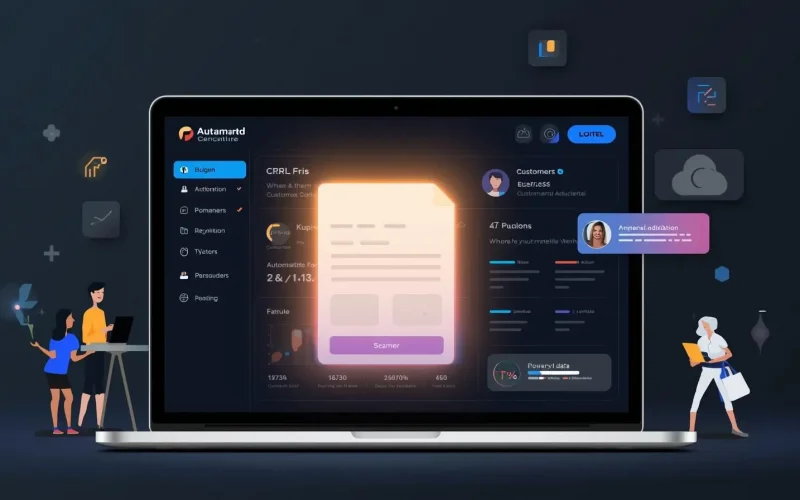
How Custom Forms Simplify Data Collection and Improve Customer Experience
Collecting customer information shouldn’t feel like a chore—for you or your customers. Yet many businesses still rely on clunky, outdated forms that frustrate users and cause valuable leads to drop off. So how do custom forms make this process easier, faster, and more enjoyable for everyone?
The short answer: custom forms streamline data collection by adapting to your workflow and your customers’ needs. When built strategically, they don’t just capture data—they create better experiences that build trust and boost conversions.
Why do traditional forms hurt your conversions?
Generic forms often overwhelm users with irrelevant questions or too many required fields. Studies show that 60% of people abandon a form halfway through if it’s too long or confusing (WPForms, 2024). Even small friction points—like asking for unnecessary details—can cause users to leave your site.
Traditional forms also fail to integrate with your marketing tools. That means even when people do fill them out, their data often sits disconnected from your CRM or automation system. Without that connection, it’s hard to follow up promptly or tailor your responses, leading to missed opportunities.
How do custom forms make the process easier for everyone?
Custom forms allow you to ask only what matters. They adapt to user inputs, simplify the flow, and automatically sync with your business tools. Instead of a one-size-fits-all approach, they create personalized experiences that feel effortless.
For example, with Surge by Thrive’s Custom Forms, you can design forms that dynamically change based on customer answers. If someone selects “request a quote,” the form can show additional fields specific to their needs. If they choose “schedule a demo,” it can link directly to your appointment scheduling calendar—no manual steps required.
The result? A smoother path for your customer and cleaner data for your business.
What’s the link between better forms and better customer experience?
When people interact with your brand online, every click shapes how they feel about you. A well-designed form signals professionalism, attention to detail, and care for your user’s time. That’s a huge trust-builder—especially for service-based businesses.
According to a HubSpot survey, 74% of consumers say they’re more likely to engage with a company that personalizes their experience (HubSpot Research, 2023). Custom forms do exactly that. They can pre-fill known data, match your brand’s tone and style, and even trigger automated thank-you messages that feel genuine.
Using Surge’s Workflow Automations, you can instantly send a welcome email or assign a follow-up task to your sales team when someone submits a form. This kind of automation helps ensure no lead slips through the cracks, while giving your customer immediate acknowledgment and next steps.
How can forms feed directly into your CRM and marketing campaigns?
The real power of custom forms lies in how they connect to your CRM and Lead Capture tools. Instead of exporting and importing data, everything syncs automatically. When someone fills out a form on your site, their info flows directly into your CRM, where you can segment leads, track interactions, and personalize outreach.
From there, automation takes over. You can:
- Trigger a personalized email or text through Email & SMS Marketing.
- Assign leads to the right team members for follow-up.
- Add them to a nurture sequence that educates and builds trust.
- Even connect with AI chatbots to continue the conversation automatically.
This full-circle integration doesn’t just save time—it creates a seamless customer journey that feels thoughtful and professional.
Are there examples of businesses improving results with better forms?
Yes—and the difference can be dramatic. For example, Expedia found that removing just one unnecessary field from their checkout form increased annual revenue by $12 million (Expedia Case Study, 2023). Similarly, small businesses using optimized forms through automation tools report conversion increases between 20% and 50%, according to Formstack’s 2024 Benchmark Report (Formstack, 2024).
Businesses using Surge by Thrive’s Custom Forms have seen similar results. By combining smart forms with automation and CRM integration, companies capture more complete data while reducing manual follow-up time by hours every week.
How can you design forms that truly convert?
Here are a few best practices to make your forms more effective:
- Keep it short. Only ask what’s essential at that moment. You can always gather more info later.
- Use conditional logic. Show or hide questions based on prior answers to keep the experience smooth.
- Make it mobile-friendly. Over 70% of users fill out forms on their phones (Adobe, 2023).
- Match your brand. Customize colors, fonts, and buttons to create visual consistency and trust.
- Integrate automation. Connect your form to email, SMS, and task automation through Surge.
When you use Surge by Thrive, all these best practices are built in. The platform lets you design drag-and-drop forms that integrate directly into your CRM, automations, and chat systems—without needing coding skills.
FAQ: Common questions about using custom forms
Do I need technical skills to set up a custom form?
Not at all. With Surge, everything is visual and drag-and-drop. You can add fields, brand colors, and logic rules with a few clicks.
Can I connect my forms to other tools?
Yes. Surge integrates with your CRM, email marketing, SMS campaigns, and calendar booking tools for a fully connected experience.
Will custom forms work on mobile?
Absolutely. All Surge forms are responsive and optimized for mobile users out of the box.
The bottom line
Custom forms are more than a way to collect data—they’re the first step in creating a great customer experience. When combined with automation, CRM syncing, and personalized follow-up, they transform how you connect with leads and serve customers.
If your current forms are holding you back, it’s time to upgrade. Try Surge by Thrive’s Custom Forms to simplify your data collection and make every customer interaction count. You can request a live demo or contact our team to get started.