
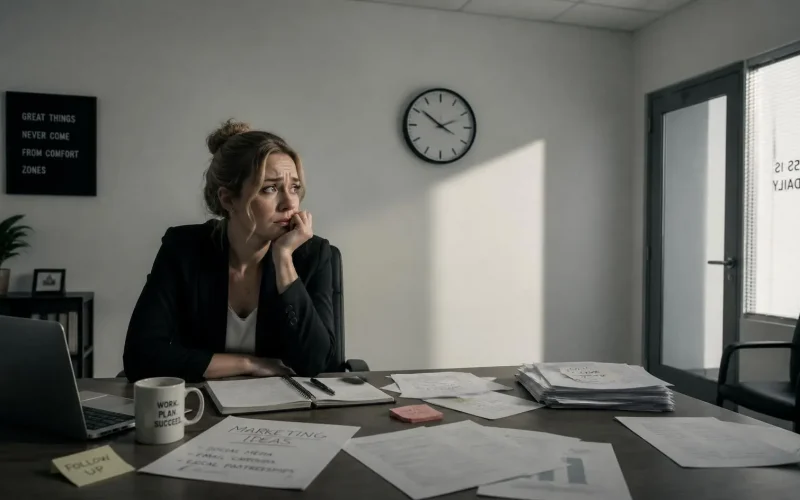
Why are people booking appointments and then not showing up?
People usually miss appointments because they forget, lose interest, run into a scheduling conflict, or find it easier to disappear than to reschedule.
It doesn’t always mean they were never interested.
When someone books an appointment, they’re making a decision based on what they need at that moment. By the time the appointment arrives, their schedule, priorities, budget, or sense of urgency may have changed.
The good news is that many no-shows can be prevented with better reminders, clearer expectations, easier rescheduling, and automated follow-up.
Why do customers forget appointments they scheduled themselves?
Customers forget appointments because booking the appointment doesn’t guarantee it was added to the calendar they actually check.
Someone may schedule a consultation while browsing your website late at night, during a lunch break, or while dealing with a stressful problem. They receive one confirmation email, intend to remember the date, and then move on with their day.
That confirmation email quickly gets buried.
Appointment-heavy industries have studied this problem extensively. The Agency for Healthcare Research and Quality explains that reminder and recall systems can reduce missed appointments while helping organizations make better use of staff time and appointment capacity.
A single email sent immediately after booking usually isn’t enough. Most businesses need a reminder sequence that keeps the appointment visible without overwhelming the customer.
A practical reminder schedule might include:
- An immediate booking confirmation
- A reminder 24 hours before the appointment
- A shorter reminder one or two hours before the appointment
- A simple way to confirm, cancel, or reschedule
With Surge by Thrive appointment scheduling, confirmations and reminders can be sent automatically whenever someone books.
Does waiting too long for the appointment increase no-shows?
Yes. The longer someone waits between booking and the actual appointment, the more time there is for their interest, schedule, or circumstances to change.
A person who books an appointment for tomorrow is usually still focused on the problem that caused them to reach out. Someone who books three or four weeks in advance may feel differently by the time the appointment arrives.
Research on medical scheduling has repeatedly found a relationship between scheduling lead time and missed appointments. One study examining appointment lead time found that no-show rates increased as the time between scheduling and the appointment grew longer.
Another analysis found that appointments scheduled more than 60 days in advance had higher no-show rates than appointments scheduled sooner.
The exact numbers will vary by industry, but the practical lesson is the same: offer appointments as soon as reasonably possible.
Businesses can also use automated workflows to keep the customer engaged while they wait. That might include a preparation message, a short educational email, a frequently asked question, or a reminder of what they’ll get from the appointment.
Are customers skipping appointments because rescheduling is too difficult?
Sometimes.
Many customers don’t want to call your office, wait on hold, explain why they can’t attend, and negotiate a different time. When rescheduling feels uncomfortable or inconvenient, some people simply don’t respond.
Your reminders should make changing the appointment almost as easy as booking it.
A good reminder message might say:
“Your appointment is tomorrow at 2:00 p.m. Reply C to confirm or use this link to choose another time.”
The customer doesn’t need to search for your phone number or return to your website. They can take action directly from the reminder.
Text messaging can be especially effective because customers often see texts sooner than emails. A Cochrane review of mobile appointment reminders found that text reminders increased appointment attendance compared with sending no reminder.
Surge can connect your calendar with automated email and SMS marketing, allowing customers to receive reminders through the channels they’re most likely to notice.
Do customers understand what the appointment is for?
Not always.
A vague confirmation such as “Your appointment is scheduled” doesn’t remind the customer why the meeting matters.
A stronger confirmation explains:
- What the appointment will cover
- Who the customer will meet with
- How long it should take
- Whether it’s in person, by phone, or online
- What information the customer should prepare
- What outcome the customer can expect
For example, instead of saying, “Your consultation is Friday at 10:00,” you could say:
“During your 30-minute consultation, we’ll review your goals, discuss the services that may fit your needs, and explain the next steps. Please have your recent account information available.”
This gives the appointment a purpose.
You can collect important details during booking through custom forms. Asking a few relevant questions also creates a small commitment from the customer. They’re no longer just selecting a time. They’re beginning the process.
Are all no-shows caused by poor communication?
No. Some customers face real barriers that reminders alone can’t solve.
Transportation problems, childcare issues, work conflicts, illness, financial concerns, and emergencies can all interfere with an appointment.
The Medical Group Management Association reported in 2025 that practices experiencing increased no-shows frequently mentioned transportation challenges, financial pressure, insurance issues, and other logistical barriers.
Your scheduling process should make it easy for customers to tell you when something has changed.
Depending on your business, you may be able to offer:
- Phone or video appointments
- Evening appointment times
- Shorter appointment windows
- Self-service rescheduling
- A waitlist for earlier openings
- Directions and parking details
- A live chat option for quick questions
An AI chat widget can also answer common questions before the appointment, including what to bring, where to go, and how the process works.
What’s the best way to reduce appointment no-shows?
The best approach is to create an automated appointment workflow instead of relying on your staff to remember every follow-up.
Your workflow should begin the moment someone books.
1. Send an immediate confirmation
Confirm the date, time, location, appointment type, and contact information.
2. Add the appointment to your CRM
The customer and appointment should automatically appear inside your CRM and lead capture system. This gives your team one place to see upcoming appointments and previous communication.
3. Send reminders through more than one channel
Use email and text when the customer has agreed to receive them. A study involving digital notifications found that people receiving notifications were 25% less likely to miss their appointments than those who didn’t receive them.
4. Provide confirmation and rescheduling options
Don’t make customers call your office just to move an appointment.
5. Follow up immediately after a no-show
A missed appointment shouldn’t automatically become a lost customer.
Send a message such as:
“We missed you today. We understand that schedules change. Would you like to choose another appointment time?”
This message can be triggered automatically through Surge without requiring someone on your staff to notice the missed appointment and manually send it.
Should my business charge a no-show fee?
A no-show fee can help in some industries, but it shouldn’t be your only strategy.
Fees tend to work best when your appointments require significant preparation, specialized staff time, reserved equipment, or limited availability. Deposits can also increase commitment for high-value appointments.
However, fees can frustrate customers when the policy isn’t clearly explained or when rescheduling is difficult.
Recent MGMA data found that medical practices charging no-show fees were more likely to report improvement in no-show rates than practices without fees. Still, the organization also noted that fees can create administrative work and customer dissatisfaction.
Before adding a fee, make sure customers receive reminders, understand the cancellation policy, and have an easy way to reschedule.
How do I know whether my no-show system is working?
Track the percentage of scheduled appointments that become completed appointments.
You should also track:
- Which services have the most no-shows
- Which appointment times are missed most often
- How far in advance people are booking
- Whether customers confirmed the appointment
- Which reminder messages were delivered
- Whether missed appointments were rescheduled
- Which lead sources produce the highest attendance rates
A connected CRM makes this information easier to measure. Instead of guessing why appointments are being missed, you can identify patterns and adjust your scheduling process.
Stop losing customers after they book
Getting someone to schedule an appointment is only part of the job. Your business also needs a reliable system that keeps the customer engaged until the appointment happens.
Surge by Thrive combines scheduling, CRM tracking, forms, email, text messaging, AI tools, and automated follow-up in one platform.
Request a live demo of Surge by Thrive to see how automated appointment reminders and no-show follow-up can help turn more bookings into completed appointments.