
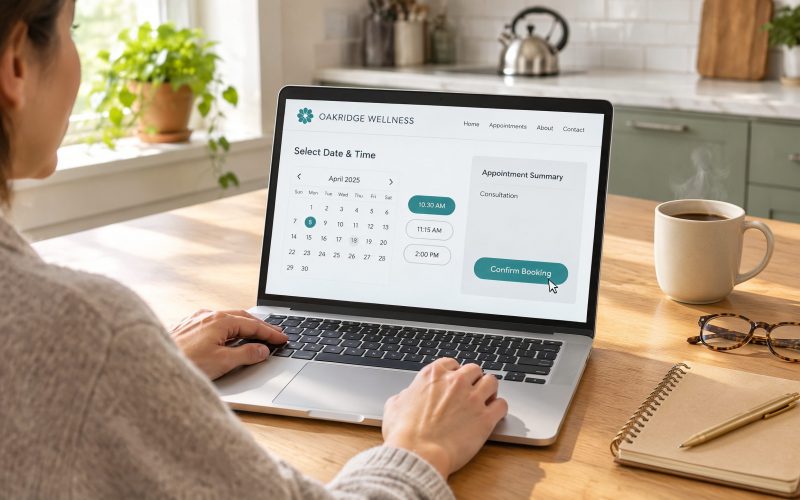
How can I get more people to schedule an appointment without making them call my office?
The easiest way to get more people to schedule appointments without calling your office is to let them book directly through your website, Google Business Profile, emails, text messages, and social media. With online appointment scheduling, customers can choose an available time, enter their information, and confirm their appointment in just a few clicks.
The best part? Your employees don’t have to stop what they’re doing to answer the phone, check a calendar, or manually enter appointment details.
For small businesses, this can make a real difference. People are busy, and not everyone wants to make a phone call just to schedule a consultation, service appointment, or meeting.
With a platform like Surge by Thrive’s appointment scheduling software, you can make booking appointments easier for customers while reducing the administrative work your team handles every day.
Why do customers prefer booking appointments online instead of calling?
Many customers prefer online scheduling because it’s convenient, quick, and available whenever they need it.
Think about how people interact with businesses today. Someone might discover your company while browsing their phone during lunch, researching services after work, or comparing providers late at night.
If the only way to schedule an appointment is to call during business hours, you’re asking them to remember to come back later.
That creates an unnecessary obstacle.
Online scheduling removes that obstacle by letting customers take action immediately.
According to Pew Research Center’s research on mobile technology, smartphones are a major part of how Americans access information and services. Making appointment scheduling mobile-friendly helps businesses accommodate the way customers already use the internet.
Online scheduling also offers several practical benefits:
- Customers can book outside normal business hours.
- They can see available appointment times without waiting on hold.
- They don’t have to exchange multiple calls or emails.
- They receive immediate confirmation of their appointment.
- They can often reschedule without contacting your office.
The easier you make the process, the fewer reasons customers have to put off scheduling.
How can I let customers schedule appointments directly from my website?
You can add an online booking calendar to your website that displays available appointment times and allows customers to reserve a spot immediately.
Instead of displaying only a phone number or contact form, your website can feature a prominent “Book an Appointment” button.
When visitors click it, they can choose the service they need, select an available time, and provide their contact information.
A good online booking system should automatically update your calendar to prevent scheduling conflicts.
For example, imagine you own an HVAC company. A homeowner visits your website at 9:30 p.m. because their air conditioner isn’t cooling properly.
Without online scheduling, they might have to wait until morning to call.
With an online booking calendar, they can request an available service appointment immediately, even though your office is closed.
Using Surge by Thrive’s website tools alongside its scheduling features, businesses can create websites that encourage visitors to take the next step.
Just make sure your booking button is easy to find on mobile devices, service pages, and contact pages.
Can customers book appointments through Google without visiting my website?
Yes. Eligible businesses can add booking links to their Google Business Profile, making it easier for customers to schedule appointments after finding them in Google Search or Maps.
This is especially useful for local businesses such as salons, consultants, home service companies, and professional service providers.
Google explains how businesses can manage these links in its Business Profile appointment and booking link documentation.
When customers discover your business through a local search, they may be ready to schedule immediately.
Providing a direct booking option reduces the number of steps between finding your business and becoming an appointment.
You can also use appointment links in other places where customers interact with your business, including:
- Your Facebook and Instagram profiles.
- Your email signature.
- Text message conversations.
- Email marketing campaigns.
- Online advertisements.
- Follow-up messages to new leads.
The goal is simple: wherever someone discovers your business, give them an easy way to schedule.
How can I automatically remind customers about their appointments?
You can use automated email and text reminders to confirm appointments, remind customers about upcoming visits, and provide rescheduling instructions.
This helps reduce the amount of time your employees spend manually contacting customers.
For example, your scheduling system might automatically send:
- Immediately after booking: An appointment confirmation with the date, time, and location.
- 24 hours before: A reminder asking the customer to confirm or reschedule.
- Two hours before: A final reminder with any necessary instructions.
- After the appointment: A thank-you message or request for feedback.
Research published in the Cochrane Database of Systematic Reviews found that mobile phone text reminders can improve attendance at healthcare appointments compared with no reminders.
Although the research focused on healthcare settings, it illustrates why timely reminders can be useful for appointment-based businesses.
With Surge by Thrive’s email and SMS marketing tools, you can automate these messages instead of asking employees to send them individually.
Make sure customers have appropriate consent to receive text messages and that your communications follow applicable messaging requirements.
Can AI help customers schedule appointments when nobody is available?
Yes. An AI-powered website chat assistant can answer common questions, guide visitors toward the right service, and help them access your booking calendar.
Imagine a potential customer visiting your website on Sunday afternoon.
They have a few questions before scheduling a consultation, but nobody is available to answer the phone.
An AI chat assistant could help them understand your services, provide basic information, and direct them to an appointment calendar.
Depending on how the assistant is configured, it may also be able to help complete the scheduling process.
This creates another opportunity to convert website visitors into appointments without requiring an employee to be available.
Surge by Thrive’s AI chat widgets can help businesses engage website visitors and guide them toward the next step.
AI doesn’t need to replace your employees. It can handle routine interactions while your team focuses on customers who need personal attention.
What if someone starts booking an appointment but doesn’t finish?
You can use automated follow-up messages to reconnect with people who express interest but don’t complete the scheduling process.
Not every potential customer books immediately.
Some get distracted. Others want to compare providers or check their schedules.
If you’ve captured their contact information and have permission to follow up, you can send a helpful reminder.
For example:
“Hi Sarah, thanks for your interest in scheduling a consultation. Here’s the link to our calendar whenever you’re ready to choose a time.”
This approach is helpful without being pushy.
With Surge by Thrive’s workflow automation tools, you can create follow-up sequences triggered by specific customer actions.
For instance, someone who submits a consultation request could automatically receive an email with your scheduling link.
If they don’t book, a follow-up message could be sent later.
Once they schedule, the workflow should stop sending booking reminders and move them into appointment confirmations instead.
The important detail is that your system needs to capture the lead before you can follow up. An anonymous visitor who simply closes an unfinished calendar usually can’t be contacted.
How do I prevent double bookings when multiple employees take appointments?
Use a scheduling system that connects to your team’s calendars and checks availability before offering appointment times.
This becomes especially important when several employees provide the same service.
For example, a consulting company might have three team members available for introductory calls.
Rather than manually assigning each appointment, the system can distribute bookings based on employee availability.
Some businesses use round-robin scheduling to distribute appointments among team members.
Others assign appointments based on the requested service, location, or employee.
A connected scheduling system can also block off existing meetings and unavailable hours.
This reduces scheduling mistakes and eliminates the need for someone to constantly coordinate calendars.
How can I tell whether online scheduling is actually bringing in more customers?
Track how many people visit your booking page, how many complete appointments, and how many eventually become paying customers.
Getting more appointments is helpful, but completed appointments and revenue are better measures of success.
Start by monitoring these numbers:
- Booking conversion rate: The percentage of booking-page visitors who schedule.
- Appointments booked: How many appointments customers schedule each week.
- Appointment attendance rate: How many scheduled customers actually show up.
- Lead-to-customer conversion rate: How many appointments turn into paying customers.
- Revenue from appointments: How much business your scheduled appointments generate.
Google’s Analytics documentation on recommended events explains how businesses can track important customer interactions.
Connecting your appointment calendar with a CRM makes it easier to follow customers from their first inquiry through the final sale.
With Surge by Thrive’s lead capture and CRM tools, you can organize customer information, track interactions, and manage follow-up activities in one place.
Frequently Asked Questions About Online Appointment Scheduling
Do I need a new website to offer online booking?
No. Many scheduling platforms allow you to add a booking calendar or scheduling link to an existing website. You can also share the link through email, social media, and text messages.
Can customers cancel or reschedule their appointments online?
Yes. Many online scheduling systems allow customers to reschedule or cancel using a link in their confirmation message, subject to the rules your business establishes.
Can I require customers to answer questions before booking?
Yes. You can use custom forms from Surge by Thrive to collect information such as service type, location, contact details, and appointment preferences before confirming a booking.
Will online scheduling work for businesses with multiple employees?
Yes. Scheduling software can support multiple calendars, employee availability, appointment types, and automated assignment rules.
Can online scheduling help reduce missed appointments?
Yes. Automated confirmations and reminders can help customers remember appointments and make it easier to reschedule when necessary. They won’t eliminate every missed appointment, but they can reduce avoidable scheduling problems.
Make It Easier for Customers to Book With Your Business
If customers have to call your office every time they want to schedule an appointment, you’re creating extra work for your employees and potentially losing customers who would rather book online.
Online scheduling gives people a convenient way to take action when they’re ready.
And when you combine scheduling with automated reminders, AI chat, follow-up workflows, and a connected CRM, you can manage more appointments without adding the same amount of administrative work.
Surge by Thrive brings these tools together in one platform, helping small businesses capture leads, schedule appointments, communicate with customers, and manage relationships more efficiently.
Ready to make appointment scheduling easier for your customers?
Request a live demo of Surge by Thrive to see how online booking and automation can work for your business, or contact our team to discuss your scheduling needs.