
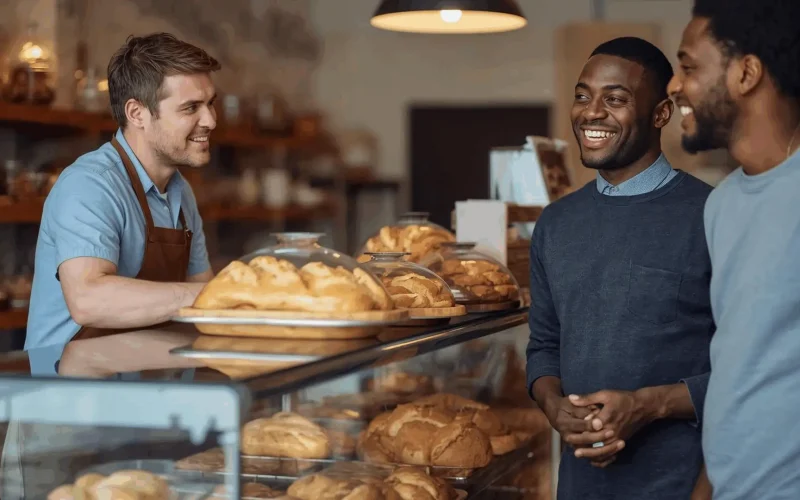
Welcome, fellow bakery owners! Are you tired of juggling phone calls, manually chasing invoices, and wishing for a magic wand to conjure up more glowing 5-star reviews? We get it. The sweet smell of success often comes with the bitter taste of administrative overload.
Many bakeries and cafes find themselves bogged down with manual follow-ups and invoicing, which not only delays job completion but, more importantly, slows down your cash flow. If you’re like most, you’re constantly seeking ways to streamline operations, convert happy customers into raving fans, and simplify the custom order process.
That’s where a powerful all-in-one platform like Surge by Thrive comes in.
This post will walk you through a simple, yet incredibly effective, strategy to harness the power of text messaging—or SMS—to automate the tedious stuff, secure those crucial 5-star reviews, and watch your custom cake orders soar. We’re going to use a clear, concise Question-Answer-Evidence format to give you the actionable steps you need right now.
The Sweet Spot: Automating Reviews and Orders
Question: How can my bakery use text messages to get more 5-star reviews and increase our custom cake orders?
An effective way to get more reviews and custom cake orders is by using a two-way text messaging system that automates post-service follow-ups. By sending a simple, pre-written text message shortly after the customer picks up their order, you make it incredibly easy for satisfied customers to leave a review and even ask them to refer a friend for a custom cake order.
Evidence: Text messages are the undisputed champion of direct communication.
- Open Rate: Text messages have a staggering 98% open rate, which means your review request is almost guaranteed to be seen.
- Read Time: Furthermore, 90% of texts are read within 3 minutes of being received, making the request immediate and top-of-mind while your cake is still fresh and the customer is delighted.
- Actionable Links: Unlike email, a text message with a direct link to your Google or Yelp review page requires minimal effort from the customer—just one click!
Integrating SMS into your customer communication strategy can drastically improve your response and action rates. Platforms like Surge by Thrive include built-in tools for Email & SMS Marketing and Reputation / Review Management to handle this automatically.
Question: What’s the best time to send a review request text message to maximize my chances of getting a 5-star rating?
The absolute best time is the “Peak of Delight”—typically 2 to 24 hours after the customer has picked up their order. If it’s a small order (cupcakes, a slice), 2 hours is fine. For a custom cake (wedding, birthday) where they’ve had a chance to enjoy it, send the request 24 hours after pickup. This ensures the customer is still basking in the positive experience and hasn’t forgotten about the great service.
Timing is everything in marketing. Studies consistently show that immediate or near-immediate follow-up for a service-based business yields the highest response rates. A quick text maintains momentum, whereas waiting even 48 hours can lead to the customer being preoccupied and less likely to take action.
Question: How can I handle a less-than-5-star experience before it becomes a public bad review?
Use an automated text message system that first sends a private feedback request before asking for a public review. This simple “filter” allows unhappy customers to vent their frustration directly to you, giving you a chance to resolve the issue privately. Only customers who rate you highly internally are then directed to the public review sites.
This is a core strategy in effective Reputation / Review Management.
- The Filter: Your automated text should ask a simple question: “How would you rate your recent experience with us? (Reply 1-5).”
- The Redirect:
- If they reply with 4 or 5: Send a follow-up text with your public review links (Google, Yelp).
- If they reply with 1, 2, or 3: Send a text apologizing and asking for details: “Oh no! We’re sorry to hear that. Could you please reply with a few details so we can make it right?”
This system helps you intercept negative feedback and turn a potential public crisis into a private resolution and a chance to win back a customer.
Scaling Success: Custom Orders and Automation
Question: What’s the best way to move custom cake inquiries from a simple text or chat to a confirmed order?
The most efficient way to convert an inquiry into a confirmed custom order is by using an integrated system that captures lead details, manages the consultation, and automates the invoicing process. You need to link your two-way SMS chat directly to an appointment scheduling tool and custom forms.
When a customer texts you, “How much for a custom wedding cake?” you shouldn’t have to scramble to check your calendar and manually type out an invoice.
- Lead Capture: Use the CRM / Lead Capture tool to automatically save the customer’s text number and name.
- Scheduling: Text them back a link to your online Consultation Booking page, powered by Calendars / Appointment Scheduling. “Great question! Let’s chat details. Book a quick 15-minute consultation here: [link].”
- Custom Forms: Have them fill out a brief Custom Form detailing the cake size, flavor, and event date before the consultation. This prepares you for the call and qualifies the lead.
This streamlines the process, saves you hours, and makes you look incredibly professional.
Question: How can I use automation to follow up on a custom cake quote without coming across as pushy?
Implement a simple automated workflow that sends a friendly, value-focused text and email sequence to all custom quote leads who haven’t booked within a set time frame (e.g., 3 days). The messages should focus on value (e.g., “We still have your date open!”) rather than being purely transactional.
This is where Workflow / Automations are essential for a busy bakery. A typical automation sequence might look like this:
| Day | Communication Channel | Message Goal |
| Day 1 | Send the formal quote with design inspiration examples. | |
| Day 3 | Text Message | “Checking in! Do you have any final questions about your quote for [Event Type]? We’d love to bake for you!” |
| Day 7 | Share a link to your 5-star review page and mention your availability is limited for that month. |
The text message follow-up is a powerful nudge, as it’s far more likely to be seen than an email. You can build these sequences easily with a comprehensive tool like Surge by Thrive.
Top Bakery Automation & SMS FAQ
1. Can a text-based system really handle complex custom order details?
Yes, but the key is to use the text message as a funnel to more detailed tools. The initial text should be simple—for instance, “Reply ‘CAKE’ to start your custom order.” That reply triggers an automated text with a link to your custom-built Order Intake Form on your surgebythrive.com/seo-websites. This ensures all complex details (tiers, flavors, allergens, etc.) are captured accurately in a single location.
2. We’re closed a few days a week. How can we ensure we don’t miss inquiries outside of business hours?
Implement an AI Chat Widget or an Auto-Responder in your two-way text system. If a text comes in at 10 PM, the system automatically replies: “Thanks for reaching out! We are currently closed. We’ll be in touch with a personalized response by 10 AM tomorrow. In the meantime, you can see our pricing here: [Pricing Page Link].” This manages customer expectations and prevents you from losing a lead overnight.
3. How can I use text messaging to drive last-minute sales for my daily baked goods?
Create a text-based loyalty club. Ask customers to opt-in: “Text ‘SWEETS’ to [Your Number] for surprise deals.” When you have excess inventory or a new specialty item, send out a flash sale text—e.g., “Flash Sale! 20% off all croissants and coffee until 2 PM today! Come on in.” Since the open rate is so high, this is a nearly instant way to move product and increase foot traffic.
Ready to Stop Working In Your Bakery and Start Working On It?
If you’re a bakery or café, your goal is to make people happy with delicious treats, not to be a full-time administrator. The pain of manual follow-ups, delayed invoicing, and missed sales opportunities is costing you real money and time.
A unified platform that combines two-way text messaging, review management, automated invoicing, and a powerful CRM is the game-changer your business needs.
Surge by Thrive is built specifically to address the pain points of service-based businesses like yours. Our tools help you:
- Automate 5-Star Reviews: Secure glowing feedback while the customer’s delight is fresh.
- Streamline Custom Orders: Funnel inquiries through automated forms and scheduling.
- Get Paid Faster: Speed up invoicing and follow-ups with automated text messages.
It’s time to stop letting administrative tasks slow down your cash flow and growth.
Learn how Surge by Thrive is helping businesses in your industry simplify their operations and scale their success. Visit our Industries Page to see success stories.
Don’t just take our word for it—see the Surge platform in action for your bakery!
Ready to start automating your reviews, orders, and follow-ups?
- Request a Live Demo and see the tools built for you: https://surgebythrive.com/live-demo-request/
- Ready to see the pricing and choose your plan? https://surgebythrive.com/#pricing