
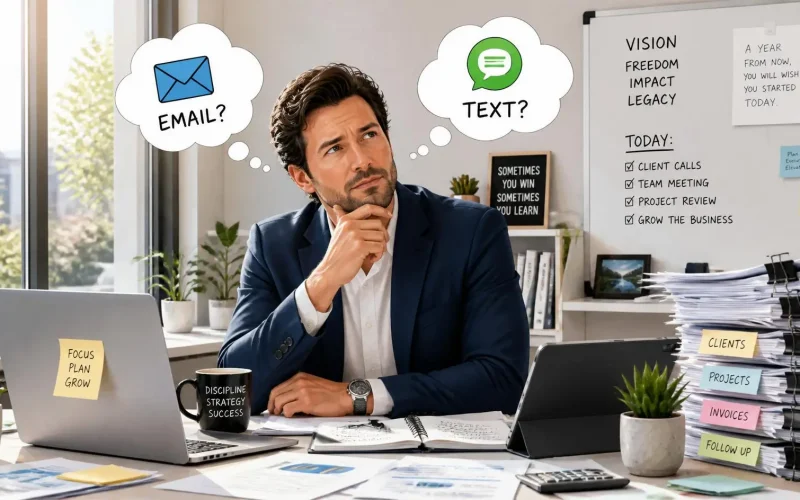
Should I text new leads, email them, or do both if I want more replies?
If you want more new leads to actually respond, use both text messages and email.
Text is ideal for getting a new lead’s attention quickly. Email gives you room to provide more information, answer questions, establish credibility, and give someone something they can return to later.
The mistake is thinking you have to choose one.
A better approach is to use text and email together as part of the same follow-up process. Your first text can start the conversation, while email supports it with additional information. If the lead does not respond, an automated sequence can continue following up through both channels without requiring someone on your team to remember every touchpoint.
That combination gives people more than one way to respond and lets them communicate on the channel they prefer.
Is text or email better for responding to a new lead?
For an immediate response, text often has an advantage because people tend to keep their phones nearby and messaging is well suited to time-sensitive communication.
But that does not make email obsolete.
Recent Twilio research on communication preferences found that channel preferences vary considerably depending on what a business is communicating. In Twilio’s 2026 research, text messaging ranked particularly strongly for time-sensitive notifications, while email ranked highly across time-sensitive messages, non-urgent notifications, customer service, and marketing.
That distinction matters when following up with a lead.
Someone who just filled out a form requesting information has shown immediate interest. A short text can acknowledge that request quickly:
“Hi Sarah, this is Mike from ABC Company. I just received your request for an estimate. Is now a good time to ask you a couple of quick questions?”
The goal is not to sell everything through a text message. The goal is to open the conversation.
Email can then handle the heavier lifting.
Why should I email the lead too?
Email gives you space that SMS does not.
You can explain your services, send useful resources, provide appointment information, share testimonials, answer common questions, and give the prospect an easy way to revisit your business later.
Email also remains an important communication channel. Mailchimp’s email marketing benchmarks report an average open rate of 35.63% across its users and an average click rate of 2.62%.
Those numbers should not be interpreted as universal benchmarks for every business, and marketing emails are different from direct lead follow-up. They do show that email continues to be a channel businesses should take seriously.
There is another reason to use email alongside text: you don’t necessarily know how a particular lead wants to communicate.
One prospect might respond to your text within 30 seconds. Another might ignore texts from unfamiliar numbers but read your email that evening.
Giving leads both options removes some of that guesswork.
How quickly should I contact a new lead?
As quickly as your business can reasonably respond.
A lead who just submitted a form, requested a quote, downloaded information, or booked a consultation is actively thinking about the problem your company solves.
Waiting until tomorrow gives that interest time to fade.
HubSpot’s guidance on lead response time recommends reducing response times to under 30 minutes and points to automation as one way businesses can eliminate delays caused by manual lead assignment and disconnected marketing and sales tools.
This is where combining CRM and lead capture with workflow automation becomes useful.
Instead of waiting for someone to notice a notification and manually send an email, a workflow can respond immediately.
For example:
- A lead submits your website form.
- The lead is automatically added to your CRM.
- An immediate confirmation text is sent.
- A personalized email follows.
- Your sales or service team receives a notification.
- If the lead does not respond, follow-up messages continue automatically.
- Once the person replies or books an appointment, the workflow can change accordingly.
You are not replacing the human conversation. You are making sure the conversation actually starts.
Won’t texting and emailing someone feel annoying?
It can, if you do it badly.
Sending a text and email does not mean blasting someone with the same sales pitch twice.
Each channel should have a job.
Text: Short, conversational, timely, and easy to answer.
Email: More detailed, helpful, and useful for information the prospect may want to reference later.
For example, your text might say:
“Hi Mark, thanks for requesting information. I just sent you an email with a few more details. Is there anything specific you’d like help with?”
The email could contain pricing information, answers to common questions, a link to schedule an appointment, or an explanation of what happens next.
That feels much different than receiving two identical promotional messages.
Twilio’s 2025 State of Customer Engagement research found that 71% of consumers abandon experiences they consider irrelevant. Relevance matters.
Your follow-up should feel connected to the action the lead just took.
How many times should I follow up with a lead?
There isn’t one perfect number for every business.
A person requesting emergency plumbing service should not receive the same follow-up sequence as someone considering a six-month consulting engagement.
Instead of choosing an arbitrary number of messages, design follow-up around the buyer’s decision process.
A simple sequence might include an immediate text and email, another helpful message later if there is no response, a follow-up the next day, and a few additional touches over the following days.
Most importantly, stop treating every lead the same once they respond.
If someone replies to your text, your automation should recognize that. If they schedule an appointment, they should move into a different workflow. If they are not ready yet, they might move into a longer nurture sequence.
Good automation responds to behavior instead of simply sending more messages.
Should text and email follow-ups be automated?
In most businesses with regular incoming leads, at least part of the process should be.
Automation is especially useful for the first acknowledgment because speed matters and employees cannot watch the CRM every minute of every day.
With Surge by Thrive’s Email and SMS Marketing tools, businesses can combine communication channels with lead information and automated workflows.
That means the system can handle repetitive steps while your team handles conversations that actually require a person.
Automation can also help prevent one of the most frustrating lead-generation problems: paying to generate a lead and then losing the opportunity because nobody followed up.
Do I need permission before texting leads?
Businesses should take consent and opt-out requirements seriously.
The rules can depend on how the phone number was collected, the nature of the message, the technology being used, and applicable federal and state laws.
The Federal Communications Commission’s rules and guidance address consumers’ ability to revoke consent for covered calls and texts, including through common reply words such as “stop,” “quit,” “end,” “revoke,” “opt out,” “cancel,” and “unsubscribe.”
Your forms and messaging workflows should be designed with applicable consent requirements in mind. Businesses running automated SMS campaigns should consult qualified legal counsel regarding their specific compliance obligations.
What is the best way to use text and email together?
Think of text as the quick conversation starter and email as the place where you can provide depth.
Then let your CRM coordinate the two.
Your lead should not feel like they’re interacting with two separate marketing systems. They should feel like they’re having one continuous conversation with your business.
That means knowing:
- Which form they completed
- What service they’re interested in
- Which messages they’ve received
- Whether they’ve responded
- Whether they’ve scheduled
- Where they are in your sales process
- What should happen next
That is the real advantage of combining CRM, lead capture, email and SMS, and automated workflows.
The goal isn’t more messages. It’s more conversations.
Sending more texts and emails is not automatically better.
Getting the right message to a lead quickly, on a channel they’re comfortable using, is what matters.
For most businesses, that means using both text and email rather than choosing between them.
Text can get the conversation started quickly. Email can provide the information needed to make a decision. Automation can make sure neither gets forgotten.
And when everything is connected to the same CRM, your team can see the entire conversation instead of chasing leads across separate systems.
If leads are coming in but too many disappear before your team can connect with them, request a Surge by Thrive demo and see how CRM, email, SMS, scheduling, and automated follow-up can work together in one system.
Frequently Asked Questions
Should I text a new lead immediately?
For leads who have appropriately consented to receive texts, a timely acknowledgment can be useful because their inquiry is still fresh. Keep the first message short, relevant to what they requested, and easy to answer.
Should I send an email and text at the exact same time?
They can be sent close together, but they should serve different purposes. The text can acknowledge the inquiry and encourage a quick reply, while the email provides additional details or next steps.
What if the lead replies by text?
Continue the conversation on the channel they chose unless there is a reason to move it elsewhere. Your CRM should record the response and adjust or stop automated follow-ups that no longer make sense.
Can I automate all of my lead follow-up?
You can automate many repetitive steps, but automation should support human conversations rather than replace them. Use automation for acknowledgment, reminders, routing, scheduling, and basic nurture. Bring your team into the conversation when the lead needs personalized help.