

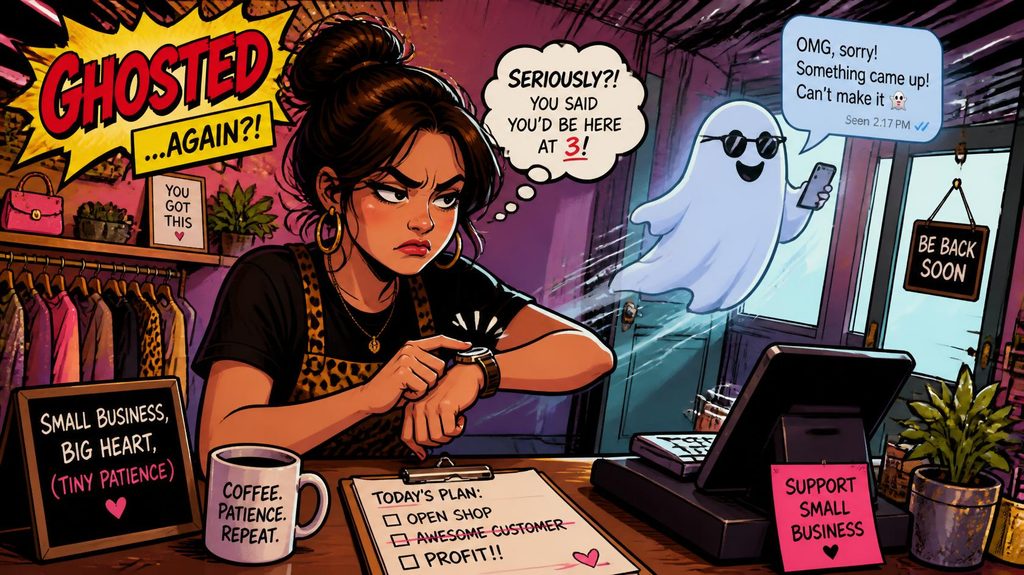
Why do customers ask for a quote and then disappear without giving us an answer?
Customers often disappear after requesting a quote because they’re comparing prices, aren’t ready to make a decision, got distracted, or didn’t receive the follow-up they needed. Sometimes the problem isn’t your pricing or your service at all. It’s simply that the customer lost momentum between asking for information and making a purchase.
If you run a small business, this probably sounds familiar. Someone fills out your website form, calls for an estimate, or asks for pricing through social media. You spend time preparing a quote, send it over, and then hear absolutely nothing.
The frustrating part? They seemed genuinely interested.
The good news is that many of these opportunities aren’t necessarily lost. With a better quoting process, consistent follow-up, and a system for tracking potential customers, you can turn more of those unanswered estimates into actual sales.
Why do customers stop responding after receiving a quote?
The most common reason is that requesting a quote doesn’t always mean someone is ready to buy.
Customers might be gathering information, checking their budgets, or comparing several businesses before deciding what to do next.
Here are some common explanations:
- They’re comparing competitors. Your quote is one of several they’re reviewing.
- The price surprised them. They may need time to reconsider their budget.
- Something else became more urgent. Their original problem moved down their priority list.
- They aren’t sure what they’re getting. Your quote might not explain the value clearly enough.
- They don’t know the next step. There’s no obvious way to approve the estimate or schedule service.
- They chose someone else. But they don’t feel comfortable telling you.
- They forgot. Your email or message simply got buried.
Research from the Harvard Business Review on the short life of online sales leads highlights how important timely responses can be when someone expresses interest in a business.
Although that research focuses on online sales inquiries rather than quote acceptance specifically, the lesson is relevant: customer interest can fade quickly.
How quickly should I follow up after sending a quote?
Ideally, follow up within 24 hours of sending a quote, especially when the customer originally expressed urgency.
That doesn’t mean you should immediately start pressuring someone to buy. Your first follow-up can simply confirm they received the estimate and ask whether they have questions.
For example:
“Hi Sarah, just checking to make sure you received the estimate I sent yesterday. Happy to answer any questions or walk through the options if that would help!”
A message like this is friendly, useful, and easy to respond to.
For customers who requested a quote but haven’t received it yet, speed matters even more. The same Harvard Business Review research found substantial differences in lead qualification outcomes depending on how quickly companies responded to inquiries.
You don’t necessarily need someone sitting at a desk all day to make that happen.
With Surge by Thrive’s workflow automation tools, you can automatically acknowledge new inquiries, notify your team, and schedule follow-up reminders so potential customers don’t get forgotten.
How many times should I follow up on an unanswered estimate?
A practical starting point is three to five thoughtful follow-ups over approximately two weeks, adjusting based on the customer’s urgency, the type of service, and any preferences they’ve expressed.
There isn’t one perfect number for every business.
A homeowner requesting emergency plumbing service needs a different approach than a business owner considering a $15,000 website redesign.
Here’s a simple follow-up schedule you can test:
| Timing | Follow-up approach |
|---|---|
| Day 0 | Send the quote with a clear next step |
| Day 1 | Confirm they received it |
| Day 3 | Ask if they have questions |
| Day 7 | Offer helpful clarification or alternatives |
| Day 14 | Send a final friendly check-in |
The key is to make each message useful rather than repeating, “Just following up.”
For example, your Day 7 message might say:
“Hi Mike, I wanted to check whether the estimate fits what you had in mind. If you’d like, we can review a couple of options that might work better for your budget.”
This opens a conversation instead of demanding an answer.
Using Surge’s email and SMS marketing tools, businesses can build follow-up sequences that run automatically while allowing staff to step in when a customer responds.
For text messaging, make sure customers have provided the appropriate consent and can opt out.
What should I include in a quote to get more customers to say yes?
A good quote should explain the price, what’s included, why the service matters, and exactly how the customer can move forward.
Sending a dollar amount without enough context makes it easy for someone to compare your business on price alone.
Instead, consider including:
- A clear description of the proposed work or products
- An itemized price or package breakdown
- The benefits and expected outcomes
- Relevant testimonials or customer reviews
- An estimated timeline
- Payment terms and any applicable conditions
- A simple approval or scheduling option
For example, an HVAC contractor quoting a new air conditioning system could explain the equipment warranty, installation process, energy efficiency benefits, and available financing options.
A landscaping company might include photos of similar completed projects.
The goal is to help customers understand what they’re paying for, not simply how much it costs.
Can automated follow-ups really help recover lost quotes?
Yes. Automated follow-ups can help recover opportunities that might otherwise be forgotten, especially when your business handles numerous estimates every week.
Automation doesn’t guarantee that someone will accept your quote. What it does is ensure that interested customers receive consistent communication without requiring you to remember every conversation.
Here’s how that could work with Surge by Thrive’s CRM and lead capture system:
- A customer requests an estimate through your website.
- Their information automatically enters your CRM.
- Your team receives a notification about the new opportunity.
- The customer receives a confirmation message.
- When you send the estimate, the opportunity moves into a “Quote Sent” stage.
- If the customer hasn’t responded, an automated follow-up sequence begins.
- When the customer responds, the system alerts your team and can stop the remaining follow-ups.
Instead of checking spreadsheets, searching through emails, or trying to remember who needs another call, you can see exactly where every opportunity stands.
HubSpot’s guidance on following up after no response also recommends varying follow-up messages, providing additional value, and making the next action easy.
These are all approaches you can incorporate into an automated follow-up process.
How do I know whether customers are disappearing because of price or something else?
Start tracking why quotes aren’t converting into sales.
Without that information, it’s easy to assume your prices are too high when the actual problem might be slow responses, unclear estimates, or poor follow-up.
A CRM can help you monitor:
- How many quotes you send each month
- How many customers accept them
- Your average time between inquiry and quote delivery
- How many follow-ups occur before a decision
- Which services have the highest quote acceptance rates
- Why customers decline when they provide a reason
You can calculate your quote acceptance rate by dividing accepted quotes by total quotes sent and multiplying by 100.
For example, if you send 50 quotes and 15 customers accept, your quote acceptance rate is 30%.
If you improve that rate to 40%, you’d close 20 customers from the same number of quotes.
That’s five additional sales without spending more money generating leads.
How can I stop losing customers after they request estimates?
The best approach is to build a repeatable process that makes it easy for customers to get information, ask questions, and make decisions.
That process should start before you even send the quote.
Use clear website forms to collect the information you need, respond promptly, and explain when customers should expect their estimates.
Then make the next step simple. Depending on your business, that could mean approving a proposal, replying to a text message, or using an online appointment scheduling tool to discuss the estimate.
Finally, make sure unanswered quotes don’t disappear into someone’s inbox.
Surge by Thrive helps small businesses organize leads, automate follow-ups, manage customer conversations, and keep sales opportunities moving forward.
You don’t need to chase every customer personally, and you shouldn’t have to wonder which estimates are still waiting for an answer.
If you’re tired of sending quotes and hearing nothing back, request a live demo of Surge by Thrive to see how a more organized follow-up system could help your business turn more inquiries into paying customers.