
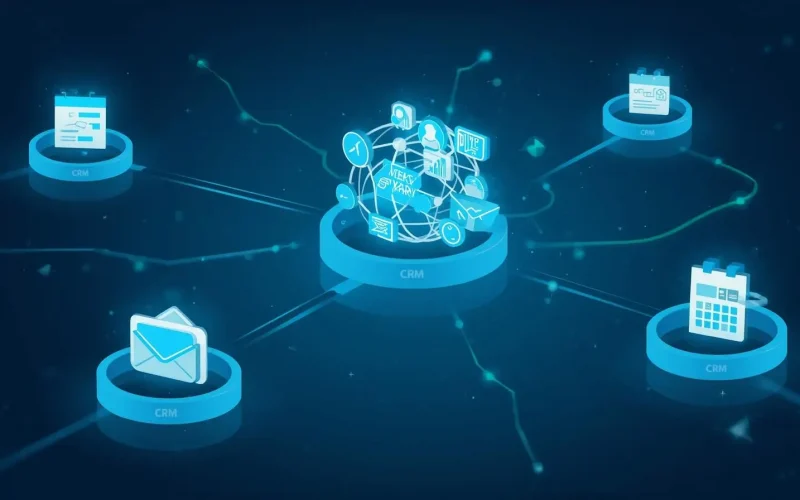
How do I combine CRM, email, SMS, and scheduling without chaos?
If you feel like your CRM is in one place, your email tool is in another, your SMS system is separate, and your calendar lives somewhere else, you are not alone. Most small businesses bolt tools together as they grow. Over time, that “stack” turns into confusion, missed follow-ups, and lost revenue.
So how do you actually combine CRM, email, SMS, and scheduling without everything breaking?
The short answer is this: you centralize your data, automate the handoffs, and build one clear workflow from lead to appointment to follow-up.
Let’s break that down.
Why does using separate tools create so much chaos?
Because data gets duplicated, lost, or delayed.
When your contact form sends leads to your inbox, your scheduler books on a different platform, and your SMS reminders live somewhere else, you rely on manual updates. That is where breakdowns happen.
According to HubSpot’s State of Marketing report, 42 percent of marketers say disconnected systems are one of their biggest challenges when trying to create a seamless customer experience. You can see this discussed in their marketing research here: HubSpot State of Marketing.
When systems do not talk to each other, you get:
- Leads that never receive follow-up
- Double bookings
- Missed reminders
- Sales conversations without context
- Inaccurate reporting
The fix is not hiring more staff. The fix is integration.
What should a clean system actually look like?
It should feel simple.
A prospect fills out a form.
They automatically enter your CRM.
They receive an email confirmation.
They get an SMS reminder before their appointment.
Your calendar updates instantly.
After the appointment, follow-ups go out automatically.
That is what connected systems are designed to do.
For example, when you use an integrated CRM and Lead Capture system like Surge by Thrive, every form submission, ad lead, or chatbot inquiry feeds directly into one central contact record. No spreadsheets. No forwarding emails.
If you are still relying on standalone forms, you are already behind. Research from Salesforce shows that high-performing teams are 2.3 times more likely to use integrated CRM systems than underperformers. Source: Salesforce State of Sales.
The evidence is clear. Integration wins.
How do I centralize everything into one CRM?
Start with the CRM as your foundation.
Every interaction should tie back to a single contact record. That record should include:
- Contact details
- Source tracking
- Appointment history
- Email activity
- SMS history
- Notes from calls
- Tags or stages
If your CRM cannot store all of that in one place, it is not strong enough.
With Surge by Thrive’s CRM / Lead Capture, every touchpoint connects to one profile. That means when a sales rep calls, they see the full history instantly.
No guessing.
How do I connect email and SMS without overwhelming people?
You do it with timing and automation, not volume.
Email is ideal for longer content, confirmations, and follow-up education. SMS works best for reminders and quick nudges.
Data backs this up. According to Campaign Monitor, email marketing delivers an average ROI of $36 for every $1 spent. Source: Campaign Monitor Email ROI.
Meanwhile, SMS open rates can exceed 90 percent according to research cited by Gartner and industry studies compiled by SimpleTexting: SMS Marketing Statistics.
The key is sequencing.
For example:
- Lead fills out form
- Immediate email confirmation
- SMS reminder 24 hours before appointment
- SMS reminder 2 hours before appointment
- Post-appointment email follow-up
With Email & SMS Marketing inside Surge, both channels live under one automation system. That prevents duplicate messaging and awkward overlaps.
How do I tie scheduling directly into my CRM?
Your calendar should not be floating on its own island.
When someone books an appointment, three things should happen automatically:
- The CRM updates their stage
- Confirmation messages send
- Reminders are scheduled
A disconnected scheduler forces you to manually move leads between stages. That slows response time.
And speed matters.
Harvard Business Review found that companies who respond to leads within one hour are nearly 7 times more likely to qualify them than those who wait longer. Source: HBR Lead Response Study.
When your Appointment Scheduling connects directly to your CRM and Workflow Automations, that entire process becomes automatic.
Lead books.
System updates.
Messages send.
Sales team notified.
No manual steps.
What about website forms and chatbots?
This is where many businesses leak opportunities.
Your website is often the first point of contact. If your form does not feed into your CRM instantly, you are adding friction.
Modern websites should include:
- Smart forms
- Auto tagging
- Source tracking
- Instant follow-up
Using Custom Forms and AI Chat Widgets inside Surge ensures every inquiry triggers a structured workflow.
And remember, Google reports that mobile searches for local businesses have grown significantly over the past decade, meaning instant response expectations are higher than ever. Source: Google Consumer Insights.
Automation keeps up with that demand.
How do I prevent all of this from becoming too complex?
By designing one master journey.
Instead of building random automations, map out:
- Lead capture
- Qualification
- Appointment
- Follow-up
- Ongoing nurture
- Review request
That last step is critical. Post-service follow-ups tied to Reputation Management increase review volume, which impacts local search visibility.
According to BrightLocal, 87 percent of consumers read online reviews for local businesses. Source: BrightLocal Consumer Review Survey.
When review requests are automated, consistency improves.
What role does my website play in this ecosystem?
Your website is the front door. It should not just look good. It should convert and connect.
An SEO-optimized site like those built under SEO Websites ensures traffic actually flows into your integrated CRM system.
There is no point driving traffic if your backend is messy.
Frequently Asked Questions
Do I need Zapier to connect everything?
Not if you use a unified platform. Third-party connectors add complexity and potential failure points.
Is combining tools expensive?
The cost of disconnected systems is usually higher. Lost leads and missed appointments cost more than subscription fees.
Can this work for small teams?
Absolutely. In fact, small teams benefit most because automation replaces manual admin work.
So what is the simplest path forward?
Stop stacking tools.
Choose one platform that includes:
- CRM
- Email marketing
- SMS marketing
- Scheduling
- Automation workflows
- Website forms
- Review management
That is exactly why Surge by Thrive exists. It was built to eliminate fragmentation and help small businesses operate like larger, organized teams.
If you are ready to simplify your systems and stop losing leads between platforms, request a live walkthrough here:
👉 https://surgebythrive.com/live-demo-request/
Or reach out directly to discuss your setup:
👉 https://surgebythrive.com/contact-us/
Chaos is not a marketing strategy. Integration is.