
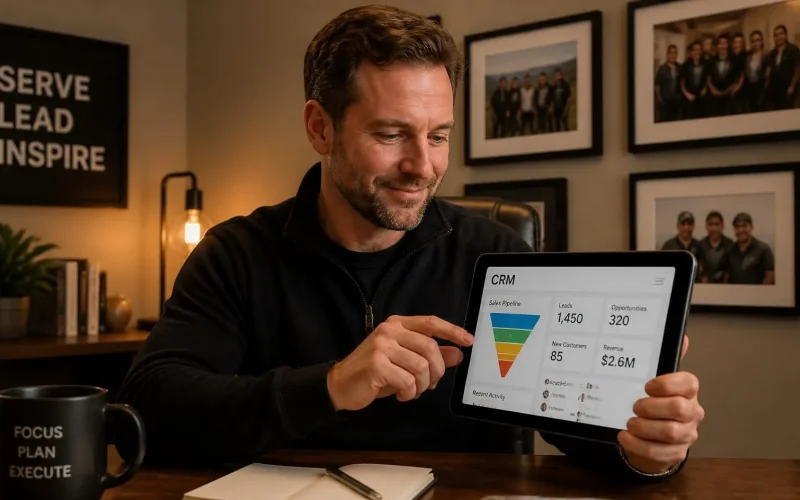
What should my CRM actually do for my small business every day?
Your CRM should help your business capture every lead, respond quickly, organize follow-up, schedule appointments, track customer conversations, and show your team what needs to happen next.
It shouldn’t be another piece of software that your staff has to remember to update. It should quietly keep your sales and customer service processes moving throughout the day.
A useful CRM acts more like a daily operating system than a digital address book. It should reduce the number of tasks your team has to remember while giving you a clear picture of every lead, customer, appointment, and sales opportunity.
What should my CRM show me at the beginning of each day?
Your CRM should immediately show you which leads are new, which conversations need attention, what appointments are scheduled, and which opportunities haven’t moved forward.
Instead of starting the morning by checking email, text messages, voicemail, spreadsheets, and social media accounts, your team should be able to open one dashboard and see:
- New leads that came in overnight
- Leads waiting for a response
- Today’s scheduled appointments
- Follow-up tasks that are due
- Deals or estimates that haven’t received a response
- Customers who need additional service
- Missed calls or unread messages
According to Salesforce’s small-business CRM guide, a CRM can bring customer details, sales activity, conversations, follow-up reminders, and performance data into one central place. That’s what makes it useful every day instead of becoming another database nobody checks.
Should my CRM automatically collect new leads?
Yes. Your CRM should automatically capture leads from the places people already use to contact your business.
That may include your website forms, phone calls, text messages, Facebook messages, Google Ads, live chat, appointment requests, and email inquiries.
When someone submits one of your custom forms, their information should be added to your CRM without anyone copying and pasting it. The contact record should identify where the person came from, what service they asked about, and when they contacted you.
Your CRM and lead capture system should also prevent duplicate records. When the same person calls after completing a form, your team should see the earlier form submission, previous messages, notes, and appointment history.
This gives employees context before they respond. It also helps prevent the frustrating experience of making a customer explain the same situation to three different people.
How quickly should my CRM respond to a new lead?
Your CRM should acknowledge a new inquiry almost immediately, even when a staff member isn’t available yet.
That doesn’t mean every lead needs to receive a long, automated sales pitch. A simple message can confirm that the inquiry was received and explain what happens next.
For example:
“Hi Sarah, thanks for contacting us about your heating system. We received your request, and someone from our team will follow up shortly. You can also schedule a time here.”
At the same time, the CRM can assign the lead to the right employee, create a follow-up task, notify the team, and place the contact in the correct pipeline.
HubSpot’s explanation of sales automation identifies lead routing, follow-up messages, task creation, data entry, and deal-stage updates as common tasks that can be handled through CRM workflows.
With workflow and automation tools, the response can also change based on the service requested, location, lead source, time of day, or answers provided on the form.
Should my CRM tell employees what to do next?
Yes. Every active lead should have an owner, a status, and a clearly defined next step.
Your staff shouldn’t have to remember who needs a callback on Thursday or which prospect asked for an estimate two weeks ago. The CRM should create those tasks and reminders automatically.
A practical sales pipeline might include stages such as:
- New inquiry
- Contact attempted
- Contact made
- Qualified
- Appointment scheduled
- Estimate or proposal sent
- Follow-up needed
- Won
- Lost
Moving a lead into a new stage can trigger the next action. Scheduling an appointment could start a reminder sequence. Sending an estimate could create a follow-up task for three days later. Marking someone as a customer could begin an onboarding process.
The goal isn’t to fill your pipeline with complicated stages. The goal is to make it obvious what needs to happen next.
Should my CRM schedule appointments too?
Yes. A small-business CRM should make it easy for leads and customers to book appointments without waiting for someone to answer the phone.
Your appointment scheduling system should display available times, add booked appointments to the right calendar, and prevent double booking.
It should also send confirmations and reminders by email or text. If someone cancels, the system should update the calendar and begin the appropriate rescheduling process.
Google’s appointment scheduling guidance explains that booking pages can display available times, add appointments directly to a calendar, block unavailable times, and provide email reminders.
Connecting scheduling to your CRM gives your team a more complete view of the customer. They can see how the person found you, what they requested, when they booked, and whether they attended.
Can my CRM follow up without making my business sound robotic?
Yes. Good CRM follow-up should feel timely and relevant, not generic.
The messages should match what the person actually did. Someone who requested a roof estimate shouldn’t receive the same sequence as someone who downloaded a guide or asked a billing question.
Your email and SMS marketing tools can send different messages based on:
- The service requested
- The person’s location
- Whether they booked
- Whether they replied
- Whether an estimate was sent
- How long the lead has been inactive
- Whether they’re a prospect or an existing customer
The CRM should also stop or adjust automated messages when someone replies, books an appointment, becomes a customer, or asks not to be contacted.
Businesses using commercial email should follow the FTC’s CAN-SPAM compliance guidance, including accurate sender information and a clear way to opt out. Automated texting also needs to follow applicable consent and opt-out requirements described in the FCC’s consumer guidance for calls and texts.
What should my CRM do after someone becomes a customer?
Your CRM should continue helping after the sale or appointment is booked.
It can send onboarding information, appointment instructions, document requests, payment reminders, service updates, customer check-ins, and review requests.
For example, a completed appointment could trigger a short message asking whether the customer was satisfied. A happy customer can then receive a direct link to leave a public review. A customer who reports a problem can be routed to your team for personal follow-up.
With reputation and review management, your business can make asking for feedback part of the normal customer process instead of something employees have to remember.
Google recommends reminding customers to leave honest reviews and responding to reviews in a timely, professional way. Google also prohibits offering incentives in exchange for positive reviews.
Should my CRM include AI tools?
AI can help with common questions, basic qualification, scheduling, and routine communication, but it shouldn’t replace every human conversation.
An AI chat widget can answer questions when your office is closed, collect a visitor’s contact information, identify what they need, and direct them toward an appointment.
The CRM should save that conversation so your staff can see what the person asked before following up.
AI works best when it handles repetitive questions and administrative steps. A person should step in when the customer has a complicated problem, is upset, needs professional advice, or asks something the system can’t confidently answer.
What reports should my CRM give me?
Your CRM should tell you which marketing and follow-up activities are producing actual customers.
At minimum, you should be able to see:
- Number of new leads
- Lead source
- Response time
- Appointments scheduled
- Appointment attendance
- Estimates or consultations completed
- Sales or signed customers
- Conversion rate by lead source
- Revenue connected to each campaign
- Leads that were never contacted
This is especially important when your business invests in advertising, local search, or SEO-focused websites. Website traffic and form submissions are useful, but they don’t tell you which channels produced qualified leads and paying customers.
Salesforce includes reporting, dashboards, lead tracking, sales visibility, and performance analytics among the core functions small businesses should expect from a CRM.
What shouldn’t my CRM do?
Your CRM shouldn’t create more work than it removes.
It also shouldn’t send messages without the right permissions, store unnecessary sensitive information, give every employee unrestricted access, or automate a broken sales process.
Before building dozens of workflows, start with the areas where leads are most likely to be lost:
- New lead acknowledgment
- Missed-call follow-up
- Appointment confirmation and reminders
- Estimate or consultation follow-up
- Customer feedback and review requests
Because a CRM contains customer information, access controls, user permissions, password security, staff training, backups, and vendor security practices matter. The NIST Cybersecurity Framework 2.0 Small Business Quick-Start Guide provides practical guidance for small and midsized businesses that are beginning or improving their cybersecurity risk-management plans.
What should a CRM do for your business every day?
A good CRM should make sure fewer opportunities depend on someone remembering to check an inbox, return a call, send a reminder, or update a spreadsheet.
Each day, it should:
- Capture new leads
- Organize customer information
- Send immediate acknowledgments
- Assign leads and create tasks
- Schedule appointments
- Continue personalized follow-up
- Track conversations and sales results
That’s what Surge by Thrive is designed to help small businesses do. It connects lead capture, pipelines, forms, scheduling, email, text messaging, workflows, reviews, reporting, and AI tools in one system.
Request a live demo of Surge by Thrive to see how the platform can support your daily sales and customer follow-up process, or contact the Surge team to talk about what your business needs.