
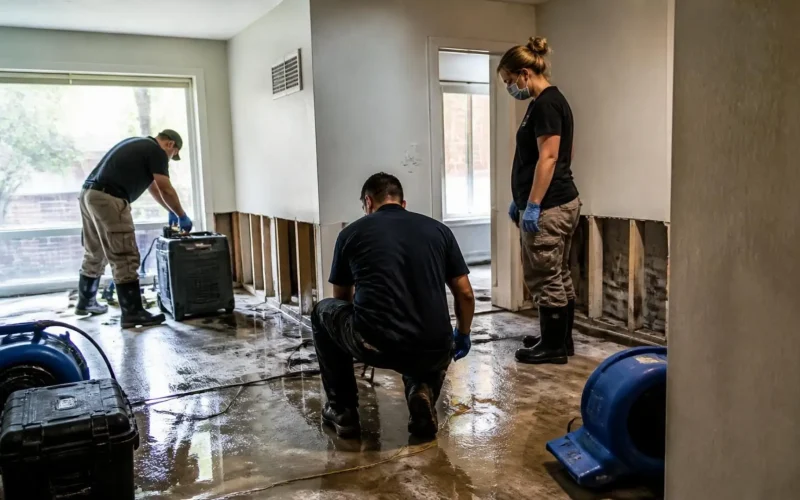
When a homeowner experiences a flooded basement, smoke damage, or storm destruction, they aren’t looking for a casual contractor. They are facing an emergency. Your field crews step in during a high-stress moment, secure the property, and restore order.
Yet, once the fans are packed up and the drywall is taped, many disaster restoration businesses struggle to capture online feedback. Restoration teams often get trapped in manual post-job follow-ups and administrative drag, delaying review requests until the customer’s emotional gratitude has faded. This delay slows down job completions and drags out cash flow.
How can your restoration business consistently collect 5-star Google reviews without placing extra work on your project managers and back-office staff? Let’s break down the exact strategies, questions, evidence, and tools you need to automate your reputation management and turn stressful jobs into glowing 5-star reviews.
What is the most effective way to request online reviews after a restoration job?
An effective way to get more reviews is by using a two-way text messaging system that automates post-service follow-ups. By sending a simple, pre-written text message immediately after a job wraps up, you make it effortless for satisfied property owners to share their feedback or refer a neighbor.
Text messaging consistently outperforms email and phone calls for immediate engagement:
- Research shows that SMS text messages achieve an average open rate of 98%, compared to roughly 20% for marketing emails. SMS Marketing Blog by ProTexting
- Approximately 90% of text messages are opened and read within 3 minutes of delivery. SMS Marketing Blog by ProTexting
When you email a review survey two weeks after a project closes—alongside a final invoice—it often gets lost in an overcrowded inbox or ignored. Sending an automated text prompt while the customer feels immense relief yields dramatically higher response rates.
To automate this process effortlessly, you can implement Workflow Automations paired with dedicated Reputation / Review Management software to deliver personalized text messages the second a job status changes to “Complete.”
Why does timing matter so much when asking property owners for 5-star reviews?
Timing is critical because of the “Relief Window.” There is a brief 24-to-48-hour period after a restoration project finishes where the property owner transitions from feeling overwhelmed to experiencing deep relief. Requesting a review during this window captures their genuine gratitude before post-job fatigue sets in.
Restoration work differs from routine home maintenance or carpet cleaning. Nobody hires a emergency restoration company when everything is going great. A 5-star review in disaster restoration isn’t just about “good customer service”—it’s about making a traumatizing event feel completely handled.
            CRISIS MODE                   THE RELIEF WINDOW             POST-JOB FATIGUE
 [ Water / Smoke Damage ] --> [ Job Done & Dried Out ] --> [ Admin & Invoicing ]
                                                                     │
                                                     BEST TIME TO ASK!
If you delay your request by two or three weeks, the homeowner’s memory shifts from “They saved my house!” to “Now I have to deal with insurance paperwork and deductibles.”
3 Key Reasons to Capture the Relief Window Promptly:
- Emotional Peak: Homeowners are most appreciative immediately after seeing their home restored to safety.
- Reduced Friction: A direct SMS link allows them to post a review in two taps while their experience is fresh.
- Higher Conversion: Reaching customers before admin fatigue sets in leads to higher review volumes and warmer testimonials.
Using smart tools like AI Chat Widgets and automated customer messaging ensures your check-in reaches the client right when their gratitude is highest.
How does automating review requests improve cash flow and back-office efficiency?
Automating review requests eliminates back-office bottlenecks. When office staff spend hours manually calling past clients for feedback, final file sign-offs get delayed. Automated triggers pair job completion checks with review prompts, speeding up customer sign-offs and accelerating invoice approvals for faster cash flow.
Secondary pain points that plague growing restoration companies include:
- High bounce or ignore rates on traditional post-service email surveys.
- Staff tied up making manual follow-up calls instead of closing job files.
- Missed opportunities to turn one-off insurance restoration jobs into neighborhood word-of-mouth referrals.
When you connect your intake systems and field workflows using a robust CRM / Lead Capture platform, every step is tracked automatically.
How Automated Workflows Solve Back-Office Bottlenecks:
- Automated Sign-Offs: The system sends an automated SMS: “We hope your home feels like home again! Could you take 30 seconds to confirm you’re satisfied with the work?”
- Instant Review Routing: Satisfied clients are directed straight to your Google Business Profile.
- Streamlined Invoicing: Once the digital sign-off is logged, the file closes automatically, allowing your team to submit paperwork to insurance providers without delay.
To see how easy it is to capture client details and streamline post-service forms, explore Custom Forms and Calendars / Appointment Scheduling.
How can restoration companies write review prompts that sound empathetic rather than transactional?
Restoration companies can increase conversion rates by framing review requests as a genuine check-in on the family’s well-being rather than a corporate marketing ask. Expressing empathy reinforces the human connection built during the restoration process.
Compare these two message approaches:
| Corporate Transactional Request (Low Response) | Empathetic Care Check-In (High Response) |
|---|---|
| “Thank you for choosing ABC Restoration. Please leave us a 5-star review on Google using this link.” | “Hi [First Name], this is [Tech Name] from ABC Restoration. We hope your home is feeling comfortable and back to normal again! If you have 30 seconds, would you mind sharing your experience to help other homeowners in crisis?” |
By personalizing your Email & SMS Marketing messages, you show homeowners that you care about their recovery. This empathetic approach turns one-time restoration jobs into long-term community trust and word-of-mouth referrals.
Frequently Asked Questions
How can a disaster restoration business collect more Google reviews without calling clients manually?
A disaster restoration business can collect more Google reviews automatically by using text messaging software integrated with their CRM. When field crews mark a job as complete, the system automatically triggers a personalized SMS containing a direct review link. Because SMS open rates reach up to 98%, this method yields significantly more reviews than manual phone calls or delayed email surveys, all without adding administrative workload to office staff.
What is the best SMS template for asking a homeowner for a restoration review?
The best SMS template focuses on empathy and relief rather than a transactional request. A proven example is: “Hi [Client Name], this is [Project Manager] with [Company Name]. We know how stressful property damage can be, and we hope your home feels back to normal again! If you were happy with our team’s work, would you mind sharing your experience in a quick Google review? [Link]” This tone feels caring and prompts quick action.
How do online reviews impact local SEO rankings for emergency restoration contractors?
Online reviews directly impact local SEO rankings by signaling prominence, trust, and activity to search engines like Google. High ratings and steady review volume increase your visibility on Google Maps and local search results when homeowners search for urgent services like “water damage restoration near me.” Having an optimized, high-converting digital presence built on SEO Websites paired with consistent standard 5-star reviews helps secure top search rankings during local storm or flooding events.
Transform Your Restoration Business’s Reputation with Surge by Thrive
Managing emergency restoration jobs requires your full attention. You shouldn’t have to spend hours chasing down client feedback or dealing with back-office bottlenecks.
Surge by Thrive gives busy restoration contractors the exact tools needed to automate lead capture, streamline appointment scheduling, send instant SMS review requests, and scale local online visibility. Discover how custom software solutions built specifically for your field service business can transform your customer pipeline by visiting our Industries Page.
Ready to automate your review collection, accelerate cash flow, and dominate your local market?
Request a Live Demo Today or Contact Our Team to see how Surge by Thrive can elevate your restoration business.
To view our flexible plans and start generating more 5-star reviews automatically, explore our Pricing & Plans Page!