
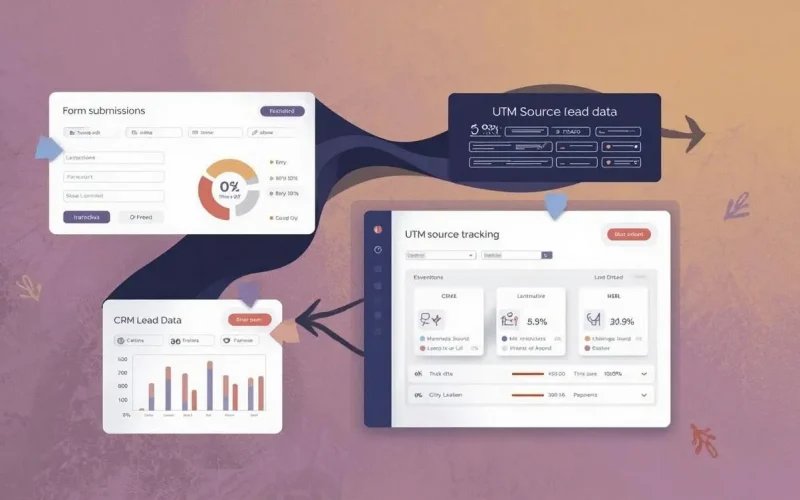
How do I track where my form leads are coming from?
If you’re getting leads through your website forms but have no idea where they’re coming from, you’re not alone. Most small businesses struggle with this, and it can be frustrating to invest in marketing and not know what’s actually working. Fortunately, tracking lead sources isn’t as complicated as it seems—especially if you use the right tools.
To track where your form leads are coming from, you need to connect each lead with its original traffic source. This can include things like organic search, paid ads, social media, or referral websites. Once you know which channels are driving real leads—not just clicks—you can double down on what’s working and stop wasting time and money on what’s not.
Let’s break down how to track lead sources effectively, what tools to use, and how Surge by Thrive makes the process seamless.
Why it matters where your leads come from
You can’t improve what you can’t measure. If you’re spending on SEO, Facebook ads, or email campaigns, but your forms don’t tell you which channel brought in a specific lead, you’re left guessing. When you track form sources:
- You get clarity on what marketing is actually driving customers
- You can optimize your budget for channels that convert
- You reduce lead quality issues by adjusting your strategy in real time
Whether you’re capturing leads from your Custom Forms, SEO website, social media, or email links, source tracking gives you visibility into what’s generating ROI.
4 ways to track where form leads come from
Here are the most common and effective methods for lead source tracking:
1. Use UTM parameters
UTM parameters are tags you add to URLs to track where traffic originates. For example, if you share a link on Instagram Stories with this URL:
https://yourdomain.com/contact?utm_source=instagram&utm_medium=social&utm_campaign=fallpromo
When a visitor fills out a form from that page, your CRM can capture “Instagram” as the source.
Surge by Thrive automatically tracks UTM parameters and passes them into your lead’s profile in the CRM, so you’ll always know exactly where the lead came from.
📚 Learn more about UTM setup: Google’s Campaign URL Builder
2. Add hidden fields to your forms
You can insert hidden fields into your forms to capture things like the referring page, UTM parameters, or landing page name. These fields are invisible to users but populate automatically when someone submits the form.
With Surge Custom Forms, you can easily create hidden fields that auto-fill with source data, then send that data into your workflows, emails, or lead capture CRM.
3. Use referral tracking with first-touch attribution
Most tools only capture the last source a user visited before submitting a form. But that’s not always the one that really matters. First-touch attribution tracks the original source—even if the user came back multiple times before converting.
With Surge Workflow Automations, you can log the first time a visitor hits your site from a paid ad or SEO result and store that as their true origin.
4. Connect your CRM and analytics tools
Tools like Google Analytics 4 (GA4) can help track behavior, but they don’t tie sessions directly to form submissions unless integrated with your CRM. With Surge, form data and source tracking are native to the platform. You get complete visibility of lead activity—from first click to conversion.
You can also combine source data with calendar bookings, SMS replies, or even conversations with AI bots to get a full customer journey view.
What happens after tracking the source?
Once you’ve tracked where your leads are coming from, use that data to:
- Personalize your automated follow-up messages using Email & SMS Marketing
- Segment your CRM by source for targeted nurturing
- Automatically tag or score leads based on how they found you
- Set up source-specific automations in Surge workflows
- Improve your ad ROI by allocating budget to the best-performing sources
You can even sync source info to appointment bookings and review management to see how each channel contributes across your funnel.
Common mistakes that block accurate tracking
- Using multiple tools that don’t talk to each other: If your forms are on one platform and your CRM is on another, lead source data often gets lost. Surge eliminates this by keeping forms, CRM, and automation in one place.
- Not capturing UTM data in the form: If you don’t use hidden fields or pass parameters properly, that valuable data disappears.
- Only looking at last-click attribution: The final click doesn’t always tell the full story. You want visibility from the first touchpoint onward.
How Surge by Thrive simplifies lead source tracking
With Surge by Thrive, you don’t have to duct-tape 5 different apps to understand where your leads are coming from. Everything from Custom Forms to CRM to Workflows is connected. You can:
- Track UTM, referral source, and landing page automatically
- Map source data into contact records without manual work
- Trigger automated follow-ups based on where the lead originated
- View detailed reporting to identify your top-converting channels
Want to see how it works? Request a demo or contact our team to get a walkthrough of how Surge helps small businesses get better insights and results.
FAQs about lead source tracking
What if leads clear their cookies or use incognito mode?
Some source tracking methods rely on cookies, so this can impact accuracy. That’s why using UTM links and hidden form fields is more reliable.
Can I track leads from offline sources like postcards or events?
Yes. You can create custom landing pages or use unique URLs with tracking codes for offline campaigns, then see who visits and submits forms.
How do I know if my source tracking is working?
Test your forms using different UTM parameters and check if your CRM records reflect the correct source. With Surge, you’ll see this data immediately in your contact record.